
The quick answer
A useful packaging brief brings together the product, pack dimensions, approved content, brand files, number of variants and printer requirements before visual design starts.
Your packaging design may look ready on screen, yet still be missing a barcode, a panel of product information or the correct dimensions. These gaps often appear when the brief begins with a reference image and little production detail.
A clear brief helps the designer and printer work from the same requirements. Use this checklist to prepare the information for a product label, carton, pouch or packaging range.
1. Explain the Product and Who Buys It
Start with the product name, category, intended customer and sales channel. A product sold from a shelf and one bought from a small online thumbnail present different information challenges.
Explain what is distinctive about your product using claims your business can substantiate. Share competitor references to discuss the market context, while being clear that the artwork must be original. A reference should help describe a direction rather than become a design to copy.
2. Confirm the Pack Format, Dimensions and Dieline
Share the finished pack dimensions, material and format. A bottle label, folding carton and stand-up pouch need different layouts. Ask the chosen supplier for the approved dieline or print template before final production artwork is prepared.
A dieline maps the cut, fold and panel structure of a pack. Confirm which dimensions are final and who approves them. If the structure is still being developed, make that a separate task in the brief rather than treating an early mockup as a manufacturing specification.
Bleed, safe areas and export settings depend on the print process and supplier. Obtain the specifications from the printer instead of relying on a universal number copied from another project.
3. Supply Approved Product Copy and Brand Assets
Provide the final product name, variant, quantity information and approved text in an editable document. Depending on the product and market, additional information and identifiers may be required. The responsible business should verify those requirements with a suitably qualified adviser before approving production.
The designer can arrange supplied information clearly, but a visual review does not establish legal or regulatory compliance. Keep the final sign-off for product statements, required declarations and factual accuracy with the responsible people in your business.
- Logo files and existing colour or typography guidance.
- Approved front, back and side-panel copy.
- Product photographs or agreed illustration requirements.
- Correct barcodes or QR destinations, when needed.
- Any mandatory wording verified for the product and sales market.
4. Count the Products and Variants
One label and a range of ten products are different scopes. Specify the number of products, flavours, sizes and language versions before comparing quotes.
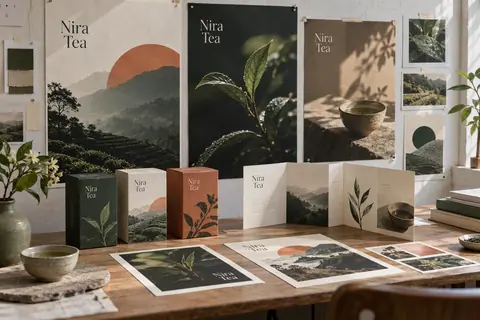
For example, a tea range may share one visual direction while changing the blend name, ingredients, weight and barcode on each artwork. Those changes still need preparation, checking and approval. Agree which versions are included and who will maintain future variants.
| Brief item | What to provide |
|---|---|
| Product range | A list of products, sizes and variants |
| Pack structure | Confirmed dimensions and approved supplier template |
| Design assets | Brand files, photography and approved text |
| Production | Material, finish, quantity and supplier specifications |
| Approval | Who checks copy, layout, proofs and final files |
5. Separate Design Approval From Production Approval
Confirm whether the quote covers design, artwork adaptation, proofing, printing, materials or delivery. Do not assume a starting design price includes a physical packaging order.
Ask which proof is suitable for the project. A digital mockup can help discuss appearance, while a physical proof may be needed to assess material, print and finishing. A phone screen cannot establish the exact appearance of ink on your selected stock.
Check the final proof for spelling, product details, contact information, scan destinations and the agreed dimensions. Keep a versioned approval record so everyone knows which artwork is authorised for production.
A Simple Packaging Brief You Can Reuse
Copy these fields into your first enquiry: business name; product and audience; sales channel; pack type and dimensions; material; number of variants; available dieline; brand assets; approved copy; design and production requirements; target date; and the person responsible for approval.
If something is undecided, mark it as undecided. That gives the team a chance to scope the missing work before a deadline or production order depends on it.
Send the brief to Zaapart to discuss packaging and label design, related brand work and the print requirements that need confirming with your production supplier.