
Websites
Website Redesign Checklist for Growing Businesses
Decide what to repair or rebuild. Plan existing URLs, content, mobile journeys, enquiry testing and a measured launch before redesigning your business website.
The quick answer
Before redesigning, document the actual problem, preserve useful content and URLs, agree the customer journeys and test enquiry delivery. Compare post-launch results with a dated baseline rather than judging the redesign by appearance alone.
Your website looks dated, but a new homepage is not automatically the answer to fewer enquiries. The problem could be unclear services, missing project evidence, a broken form or visits from the wrong audience.
Use this website redesign checklist to decide what needs to change, what should remain and how to test the replacement. It works for a focused repair as well as a larger rebuild.
Record the Problem Before Choosing a Rebuild
List the business tasks the current site struggles to support. Collect examples: a customer cannot find a service, mobile text is clipped, a page describes an old offer, or a submitted enquiry never arrives.
Save dated Search Console page and query exports, analytics reports where available and a count of received enquiries. Keep clicks on contact buttons separate from conversations and qualified leads. Compare the same periods and filters later.
Choose Targeted Repairs or a Wider Redesign
A broken form, missing service detail or awkward navigation may be fixable within the existing site. A rebuild becomes a stronger candidate when the underlying platform, page structure or content workflow prevents the tasks you need.
Ask the provider to explain which problem each proposed change solves. Keep familiar brand elements when they still work; a redesign brief should say what must remain recognisable.
| Observed problem | First check | Possible scope |
|---|---|---|
| Enquiries not received | Form delivery and receiving inbox | Repair and test the enquiry flow |
| Visitors cannot compare services | Navigation and missing information | Restructure service content |
| Team cannot update key details | Editing workflow and access | Improve the CMS or consider migration |
| New online ordering needed | Catalogue, payment and fulfilment tasks | Scope ecommerce functionality |
Inventory Pages and Map Every Changed URL
Record each existing page, its purpose, useful content, internal links and available search evidence. Mark it keep, improve, combine or remove with a reason. Preserve the address when the page still serves the same purpose.
If an address changes, map it to a genuinely relevant destination and implement a permanent server redirect. Update internal links, canonical URLs and the sitemap. Sending every retired page to the homepage makes it harder for visitors to find the information they wanted.
Test the Customer Journey and the Receiving Team
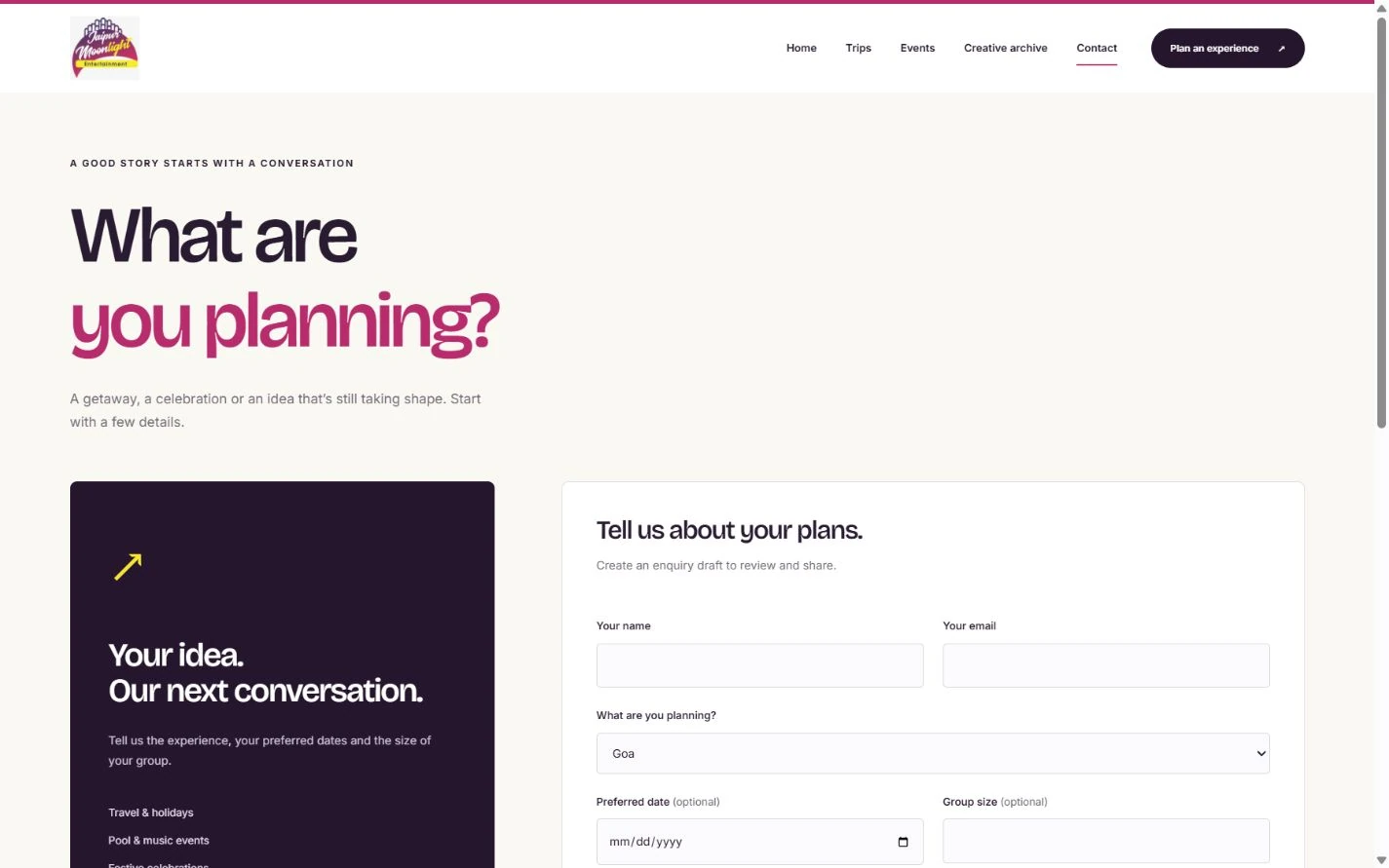
Use real text and approved images during review. The Jaipur Moonlight website preview shows an example of requesting plan type, date and group size; these fields explain the request before a conversation starts. Review your own fields against what your team needs.
On a phone, complete navigation, forms and the main next action. Check labels, missing-field messages, successful receipt and what the team sees. Also review keyboard use, image descriptions and content readability.
- Check important old URLs and their final destinations.
- Check page titles, headings, canonical URLs and launch indexing controls.
- Check contact details, enquiry destinations and confirmation states.
- Check core pages with slow loading and narrow screens.
- Keep a backup and a named person responsible for launch decisions.
Launch, Recheck and Compare Like for Like
After launch, check the public pages, redirects and form delivery again. Review indexing and crawl reports as new data becomes available. Treat a successful deployment and a page appearing in search as separate observations.
Compare matched periods using the same page and query groups. Record qualified enquiries and their sources alongside visits. A redesign can address usability problems; it does not by itself establish a ranking or revenue improvement.
Discuss a targeted website improvement or redesign · Compare website delivery and support proposals
Further reading
- Google’s guidance on URL changes: URL mapping, redirects and post-move monitoring for pages whose addresses change.