
Branding
Which logo files do you need for print, signage and web?
Learn which logo files to ask for, from vector PDFs for print and signage to SVG and transparent PNG for websites. Includes a handover checklist.
The quick answer
Ask for an editable vector master, a vector PDF your print or signage supplier can use, an SVG for your website and a transparent PNG for everyday use. Confirm which formats your supplier accepts and which logo versions you need on light, dark and single-colour surfaces.
You approved your logo months ago. Now you’re opening a shop, and the sign maker wants a vector file. You find a PNG from an old WhatsApp chat, but nobody on your team knows where the original artwork is. What do you send the sign maker, and what should you ask your designer for?
Why Does Your Sign Maker Ask for a Vector File?
A vector logo is built from lines, curves and shapes. It can grow from a business card to a storefront sign while its edges stay sharp. A PNG or JPG is built from pixels. If the file has too few pixels for the size you need, its edges can look soft or jagged when enlarged.
Ask the designer for a file exported from the original vector artwork. A PDF can contain a pixel image, so the file extension alone cannot tell you whether your sign maker has usable vector artwork. Send the supplier the file and the intended dimensions before approving the quote.
Which File Should You Send for Each Job?
| Where the logo goes | File to ask for | What to confirm |
|---|---|---|
| Shop sign or dimensional lettering | Vector PDF, AI or EPS, depending on the supplier | Confirm the accepted format. If letters will be cut, ask whether the smallest details can be made at the proposed size. |
| Printed packaging, menus or cards | Vector PDF for the logo | Ask the printer for colour and artwork specifications. The final label or carton layout also has its own dimensions and production requirements. |
| Website header or footer | SVG for a vector logo, where the website supports it | Check that the chosen version is readable at the size it will appear on a phone. |
| Social profiles, presentations and documents | Transparent PNG at a suitable size | Ask for a square version if the profile crops the full wordmark. Check how it looks over light and dark backgrounds. |
| Future design changes | Editable vector master, such as an AI file if your designer works in Illustrator | Confirm what source files are included and ask for the font names and any licence information you’ll need for future edits. |
Which Versions of the Logo Are Worth Keeping?
Start with the places your logo will appear in the next six months. If you’re opening a café, for example, you may need a wide name and mark for the fascia, a compact mark for a social profile and a single-colour version for a stamp. Ask to see each version at the size and on the background you plan to use.
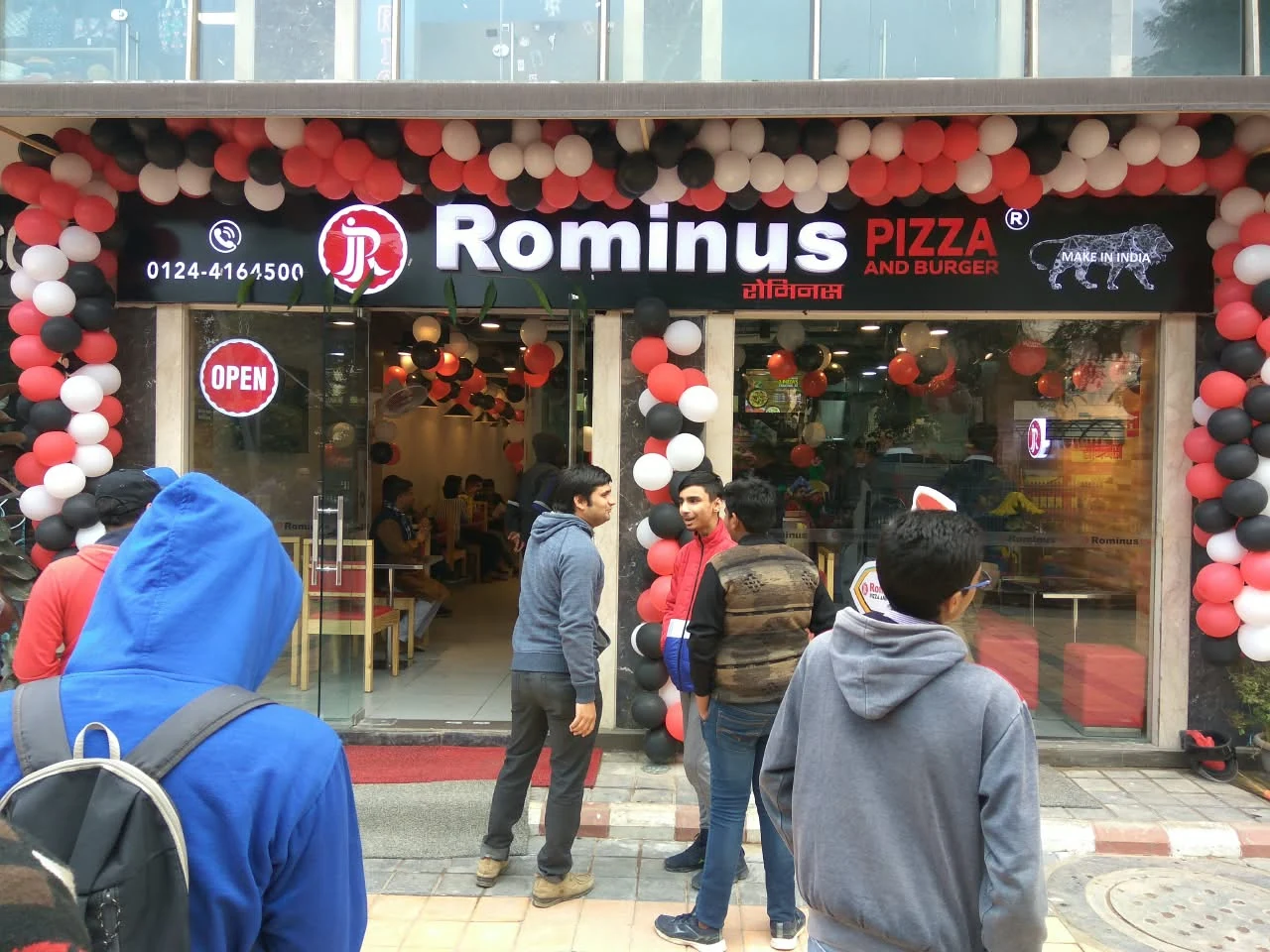
The Rominus Pizza & Burger project shows how this works in practice. The opening-day storefront photo shows the name and red emblem together above the entrance. At the ordering counter, the round emblem can stand on its own. If your brand needs both applications, confirm that each layout is supplied as its own file.

How Do You Check the Handover Before You Sign Off?
If you only have an old PNG or JPG, check the original handover or ask the designer for the master. Changing the extension or placing the image in a PDF preserves the same underlying pixels. If the original cannot be recovered, ask a designer to assess whether the mark needs to be redrawn before production.
- Open the approved files and check the spelling, proportions and colours against the final design.
- Put the transparent PNG on a coloured background. Check the edges and make sure the intended areas are transparent.
- Ask the printer or sign maker to open the vector file and confirm it suits the job. For lettering, ask how the smallest details will look at actual size.
- Keep the approved master and exports in a shared business folder. Name each file by layout and background so the next person can find the right one.
A Message You Can Send Your Designer
We need the logo for our website, printed materials and shop sign. Could you confirm which editable vector, vector PDF, SVG and transparent PNG files are included in our quote? Please also confirm which versions are available for light and dark backgrounds, and whether we can share the production files with our suppliers.
Further reading
- Rominus restaurant branding case study: See the original opening-day storefront photo and the counter branding.
- Adobe’s guide to vector files: Learn how vector artwork scales and which formats support it.
- Adobe’s PDF export options: Review print settings, font handling and Illustrator editing options.